GTR Academy – Salesforce Admin & Developer Online Training Courses
190,000+ strong network: Global expertise, practical skills, & ethical leadership.
In the Salesforce ecosystem, the two main career paths are administrator and developer. The GTR Academy Salesforce course covers both development and administrative skills. This thorough training helps you become a highly adaptable Salesforce professional and supports your preparation for the Salesforce Administrator Certification and Salesforce Developer Certification.
- Learn LIVE from the Masters of Industry
- Real life Case-studies and Projects
- Placement Preparations & Mock interviews
- Resume preparation
- Huge database of training documents
Where Our Students Work







About The Course
The Salesforce Admin & Developer Online Training at GTR Academy is designed to help you learn both how to manage the Salesforce platform and how to build custom solutions on it. You will start with core administration topics like users, security, objects, and workflows – and then move into development using Apex, Visualforce, and Lightning Web Components (LWC).
This course is fully practical, so you’ll understand real business scenarios and how Salesforce supports them. You will be prepared for roles in both administration and development, along with popular Salesforce certifications.
What You Will Learn
✔ Salesforce Administrator Skills
Manage the platform without coding — user access, data setup, reports, dashboards, automation, and troubleshooting
(Ideal for non-programmers and HR, IT, or business professionals)
✔ Salesforce Developer Skills
Use Apex and LWC to build apps, customize features, and create solutions for advanced business needs
(Perfect for anyone who wants to get into CRM development)
By the end of the course, you will have the skills to work confidently as a Salesforce Admin, Developer, or both — and be ready for Salesforce certification exams.
Disclaimer: SAP is a registered trademark of SAP AG in Germany and many other countries. We are not associated with SAP. SAP software and SAP GUI are proprietary SAP software. GTR Academy is not authorized to provide SAP Access.
GTR Academy Training & Development
World-Class Employee Training Solutions
- Classroom Online Training Options
- Fully Customized, Instructor-Led Programs
- Flexible Scheduling – Learn on Your Own Terms



Pave Your Road to Salesforce Admin & Developer Excellence, Lead in Salesforce Developer
Program
Highlights
Career in Salesforce Admin & Developer

In-Depth Learning
Skill Enhancement

Professional Growth

Accredited Certification

Future-Ready Skills
Step into the world of high-paying Salesforce careers!
We're Widely Accredited

Know your Mentor
- Salesforce Admin & Developer Certification
- Real-World Case Studies and Projects
- Compliance & Streamlining
- 8+ Years Of Experience
- Trained 3500+ Students
- Simplifies Complex Concepts
Salesforce Admin & Developer Course Curriculum
SAP Developer
Module 1: Introduction to Apex
• Why code?
• Why Apex?
• Apex transactions and Governor Limits.
• Data Types (Primitive and Non-primitive)
• Variables
• Operators
• Collections
• Conditional Statements.
• Life Cycle of Apex transaction.
Module 2: SOQL and SOSL
• What is SOQL
• SOQL Syntax
• Order By in SOQL
• Limits in SOQL
• Parent-Child relationship
• Querying
• Query in Runtime
• Basics of SOSL.
• Transversing using SOSL
• Optimization of SOSL Queries
Module 3: DML Operations
• Introduction to DML operations
• Different DML Operations
• Database DML Operations
Module 4: Triggers
• Describe what a trigger is used for
• Order of Execution
• Trigger Events
• Describe the syntax of a trigger definition
• Use trigger context variables
• Avoiding Recursive trigger calls.
• Trigger Handler Pattern.
Module 5: Integration
• Introduction to Salesforce APIs
• REST
• SOAP
Module 6: Test Classes.
• What is a Test Class?
• Why to write a Test Class?
• Running a test Class
• Code Coverage
Module 7: Asynchronous Apex
• Future Methods
• Batch Apex
• Queueable Jobs
• Schedulable Apex
SAP Admin
Module 1:Salesforce.com Introduction
- Cloud Computing & Deployment Models (IAAS, PAAS, SAAS)
- What is Salesforce.com?
- Architecture & Multi-Tenant Model
- Evolution of CRM & Salesforce Product Ecosystem
- Salesforce Editions, Licenses, and Pricing Models
- Signing up for Developer Edition & Navigating Salesforce UI
- CRM Market Trends & Career Opportunities
Module 2: Preparing Your Org for Users
- Setting up Company Profile & Fiscal Year
- Configuring UI Settings, Search Layouts & Themes
- Enabling and Customizing Chatter
- Introduction to Setup Menu & Quick Navigation
- Overview of Sandboxes (Dev, QA, Full, Prod)
Module 3: Security and Data Access
- Login Access Policies: IP Ranges, Login Hours, Session Settings
- Object-Level Security: Profiles, Permission Sets, OWD
- Record-Level Access: Role Hierarchy, Sharing Rules, Manual Sharing
- Field-Level Security: Read-Only, Required, Unique, External ID
- Handling Access Exceptions & Audit Trail
Module 4: Data Management & Migration
- Data Loader vs Import Wizard: Use Cases & Limitations
- Insert, Update, Upsert, Delete, Hard Delete Operations
- Mass Transfer & Mass Delete Records
- Weekly Export & Backup Strategies
- Attachment Uploads & Integration with ETL Tools
- Data Quality Best Practices
Module 5: Automation Essentials
- Email Administration & Template Management
- Approval Processes: Steps, Rejections, Actions
- Salesforce Lightning Flows
- Workflow Rules vs Process Builder vs Flows
- Task Automation
Module 6: Data Model & Relationships
- Standard vs Custom Objects
- Tabs: Custom Object Tabs, Visualforce, Web, Lightning Page Tabs
- Field Types: Text, Picklist, Lookup, Formula, Roll-Up Summary
- Relationships: Master-Detail, Lookup, Junction Objects, Hierarchical
- Cross-Object Formulas & Roll-Up Summary Limitations
Module 7:User Management
- Creating & Managing Users, Profiles, Permission Sets
- Troubleshooting Login Issues
- Setting Up Chatter Free & External Users
- Role-Based Access & Delegated Administration
Module 8: Formula Fields & Validation Rules
- Purpose & Types of Formula Fields
- Text, Logic, Math, Date Functions
- Cross-Object Formulas
- Validation Rules: Need, Functions, Best Practices
- Difference between Formula Fields & Roll-Up Summary
Module 9: Record Types & Page Layouts
- Create flows
- Screen Flows
- Scheduled Trigger Flows
- Auto Launched Flows
- Record Triggered Flows
Module 10:Reports and Dashboards
- Report Types: Tabular, Summary, Matrix, Bucket Fields
- Report Builder: Filters, Groupings, Formulas
- Scheduling, Exporting, Emailing Reports
- Dashboards: Components, Charts, Highlighting
- Dynamic Dashboards & Reporting Snapshots
- Adding Dashboards to Home Page
Module 11: Custom Apps & AppExchange
- Lightning App Builder: Pages, Components, Branding
- Creating Custom Apps
- Navigating AppExchange: Installing & Uninstalling Apps
- Service Cloud Console Overview
Module 12: Flows
- Record-Triggered Flows
- Scheduled Flows
- Screen Flows
- Visual Flows
- Best Practices for Flow Design & Maintenance
Module 13: Sandboxes, Debugging & Monitoring
- Types of Sandboxes & Use Cases
- Debug Logs: Setup, Monitoring, Error Resolution
- Audit Trail: Tracking Setup Changes & Compliance
Who is This Course For ?
- Aspiring Salesforce Administrators and Developers seeking a practical, hands-on introduction to the Salesforce platform.
- Students and career changers who want a comprehensive, engaging, and beginner-friendly approach to learning Salesforce.
- Professionals from non-technical backgrounds (arts, commerce, business, etc.) looking to break into the IT or CRM industry.
- Job seekers aiming for roles such as CRM Certification Training, Salesforce Analyst, or Business Systems Analyst.
- Customer support, sales, or marketing professionals who want to upskill and manage Salesforce in their current organizations.
Training Delivery
Discovery call
A call to evaluate CRM Certification Training requirements and adjust course and delivery accordingly.
Tech call with the Certified Instructor
A call with the Certified Instructor to address specific queries and requirements.
Design of Customized Curriculum
Tailored curriculum to meet specific learning objectives and organizational needs.
Training and Access to LMS
Commencement of training sessions along with access to the Learning Management System.
Live training
Live training sessions conducted in real time to facilitate interactive learning experiences.
Hands on Role Based training with Labs
Interactive training featuring hands on exercises and specialized labs tailored to specific skillset
Course Materials Access using LMS
Access Salesforce Developer Online Training course materials conveniently through the Learning Management System.
Student Progress Metrics
Monitor student progress through comprehensive metrics and analytics.
Final Quiz in Gamification style
Concluding the training with a gamified final quiz to engage learners and reinforce key concepts.
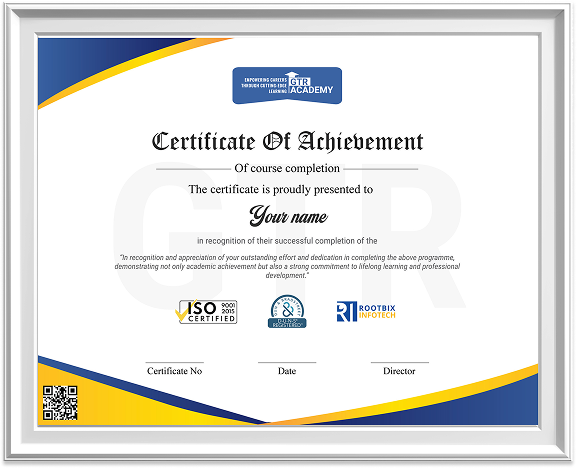
Certificate of Completion (Verifiable)
Participants provided with a verifiable Certificate of Completion upon successfully finishing the training.
Student Video Testimonial
Watch heartfelt testimonials from our students, sharing their firsthand experiences and
success stories about their transformative learning journeys at our institution.
Hear from our students
Salesforce Admin & Developer
Live Online-
INR 50,000 now and INR 30,000 post placement of 3 months
Salesforce Admin & Developer
Recorded 12 Months Access- Salesforce Admin & Developer classes with unlimited mocks, a comprehensive question bank, and personalized doubt solving.
Approved Training partner
Approved Training partner under the scheme for market-led fee-based services implemented by Nasscom
Showcase on
LinkedIn and resume
Share achievements
on social platforms
Earn a Tier 1 certification
from GTR Academy