

AI Assistants for Analysts: Using LLMs to Speed Up SQL, EDA, and Reporting
Analysts spend 80% time on data plumbing. LLM‑powered assistants now generate SQL, prototype EDA, draft reports — 10x productivity if used correctly. Here’s the 2026 state‑of‑play.
What AI assistants can do well
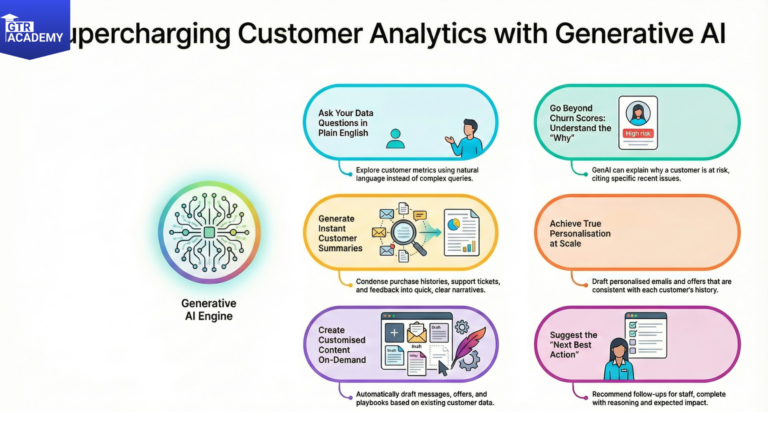
- SQL generation
Ask: “Daily active users by country last 90 days”
Get: SELECT country, COUNT(DISTINCT user_id)…
- EDA acceleration
- Suggest next plots (“correlation heatmap?”).
- Surface outliers/anomalies.
- Generate summary stats + insights.
- Reporting – Narrative summaries, anomaly explanations, slide outlines.
Leading tools and patterns
- BI‑native:
- ThoughtSpot, Hex: NLQ → charts.
- Tableau Ask Data, Looker Copilot.
- Code‑first:
- Cursor/GitHub Copilot: EDA notebooks.
- Continue.dev: LLM in your IDE.
- Warehouse‑native:
- BigQuery Gemini, Snowflake Copilot.
Production patterns
- Human + AI workflow:
- NL query → SQL → human review/execute.
- Auto‑generated insights → analyst validates context.
- Prompt library for common patterns.
- Prompting tips:
“Write SQL for [metric] by [dimension] for [time period]. Use CTEs. Add comments.”
Risks and guardrails
- Pitfalls:
- Hallucinated SQL syntax.
- Wrong business logic/joins.
- No lineage or testing.
- Fixes:
- Ground in schema/docs (contextual RAG).
- Unit test generated SQL.
- Human approval loop.
- Feedback loops improve over time.
Try this: Use an LLM to write SQL for your most common report. Copy‑paste to validate. Tweak prompt based on misses.